The blog
Published July 24th, 2025
Let's start with some context: I created a journal platform that's modern, has AI features and more. But I saw a lot of people worried about the privacy implications of having their private thoughts stored in a random SAAS app. So, I set out to create an open source version. This project is using NextJS since most people know it and it has the most amount of documentation.
But there's a huge problem: NextJS does not support the OpenAPI Spec for their API routes and doesn't have a good way to setup documentation either. Now, in most cases, it's better to use a separate backend using something like Hono, Fastify or even something like tRPC. These usually come with more tools, tend to be safer and more bug-resistant, come with more performance and typically support industry standards or at least type-safety.
But since this is open source and I wanted users to one-click deploy the entire journal platform on a single domain, I decided to do something crazy.
Hono is a fast, lightweight, web application framework built on web standards. It's got a lot of support, it's extremely performant, can run on the edge and comes with utilities to handle middleware, CORs, streaming, RPC and more.
https://hono.dev/
NextJS + Hono
Hono actually already has a way for you to setup Hono and NextJS (here). The way it works is relatively simple:
1// app/api/[[...route]]/route.ts
2
3import { Hono } from 'hono'
4import { handle } from 'hono/vercel'
5
And that pretty much sets up Hono and a test api route at /api/hello.
Adding OpenAPI
This is where things get a little more complicated. Firstly, let's look at the routing file from above but with the new OpenAPI stuff:
1// app/api/[[...route]]/route.ts
2
3import configureOpenAPI from "@backend/configure-open-api";
4import createApp from "@backend/create-app";
5import
First thing you'll notice is that a lot more is going on, this is an example from the open source app I'm building and there's about 6 different things that all need CRUD endpoints.
You'll notice that we're calling createApp() to set up the initial Hono instance. Let's look at the code for that. Also note that I created a /backend folder separate to the /src folder. The backend has a lot of files that have nothing to do with the frontend.
1// backend/create-app.ts
2
3import { OpenAPIHono } from "@hono/zod-openapi";
4import { requestId } from "hono/request-id"
Now you can see the main package that is letting setup the OpenAPI spec: @hono/zod-openapi. You'll also see that we're using something called stroker — initially, this was from hono-open-api-starter which is a proper Hono project. Stroker simply gives us some reusable utilities.
Here we are setting up default messages for the not found and on error responses. We also have a little favicon for the API routes.
Setting up docs and reference
Now, we'll take a look at configureOpenAPI() which add 2 new endpoints: api/doc and api/reference.
1import { Scalar } from "@scalar/hono-api-reference";
2import type { AppOpenAPI } from "./types";
3
4
Here we're serving the OpenAPI Spec using version 3.0.0 and then adding the documentation that using the OpenAPI Spec to generate everything.
We're using something called Scalar which is an open source API platform and they're letting us create an interactive docs page for our API. They also have built-in support for some themes and layouts, here I'm using fastify as the color theme and modern as the layout.
Here's what it looks like:
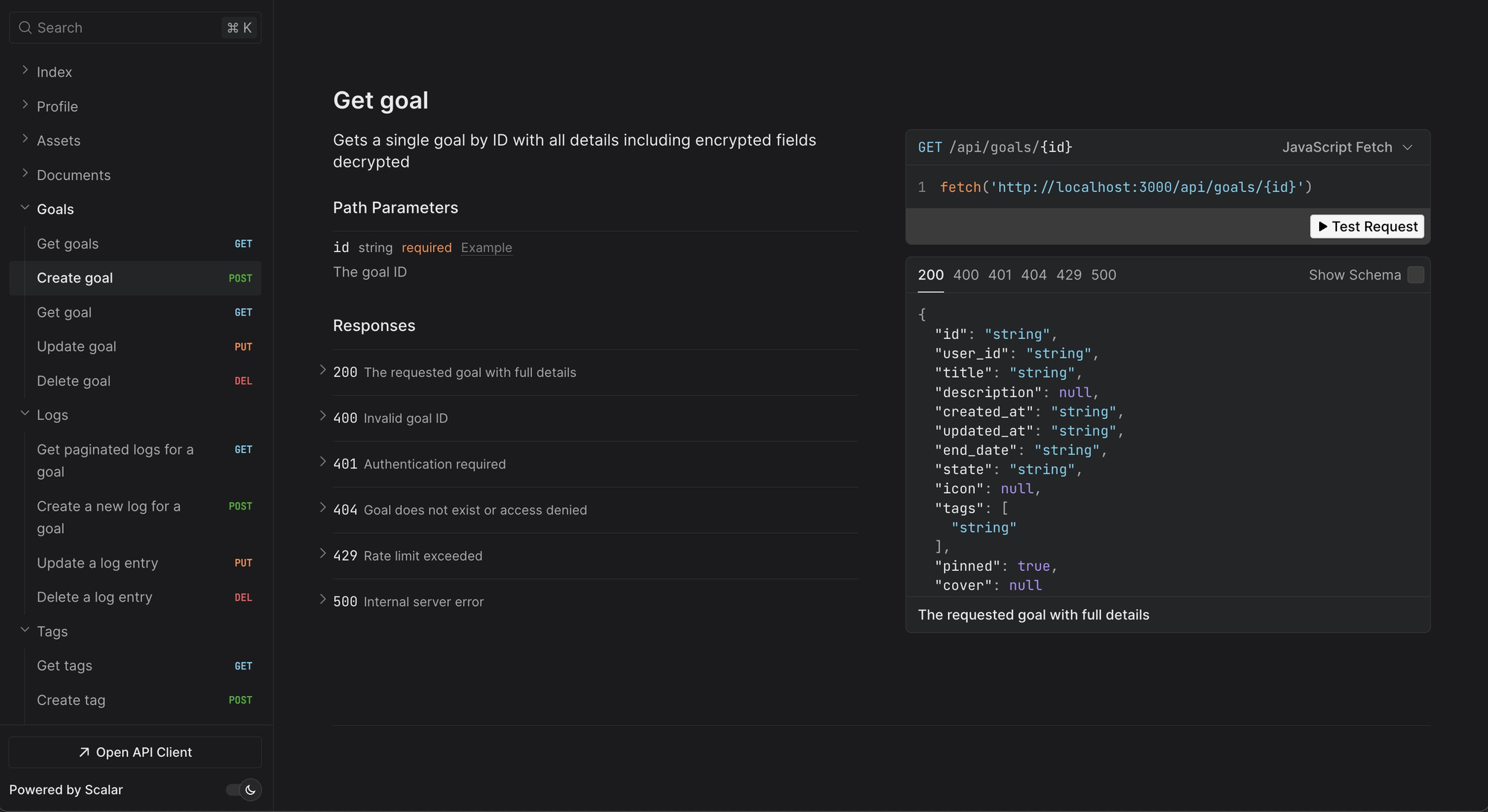
Notice how every route starts withapi/, this is a requirement since Hono only handles NextJS past/api, if you don't add this, the endpoints will never be hit because Hono will not load.
Adding Routes
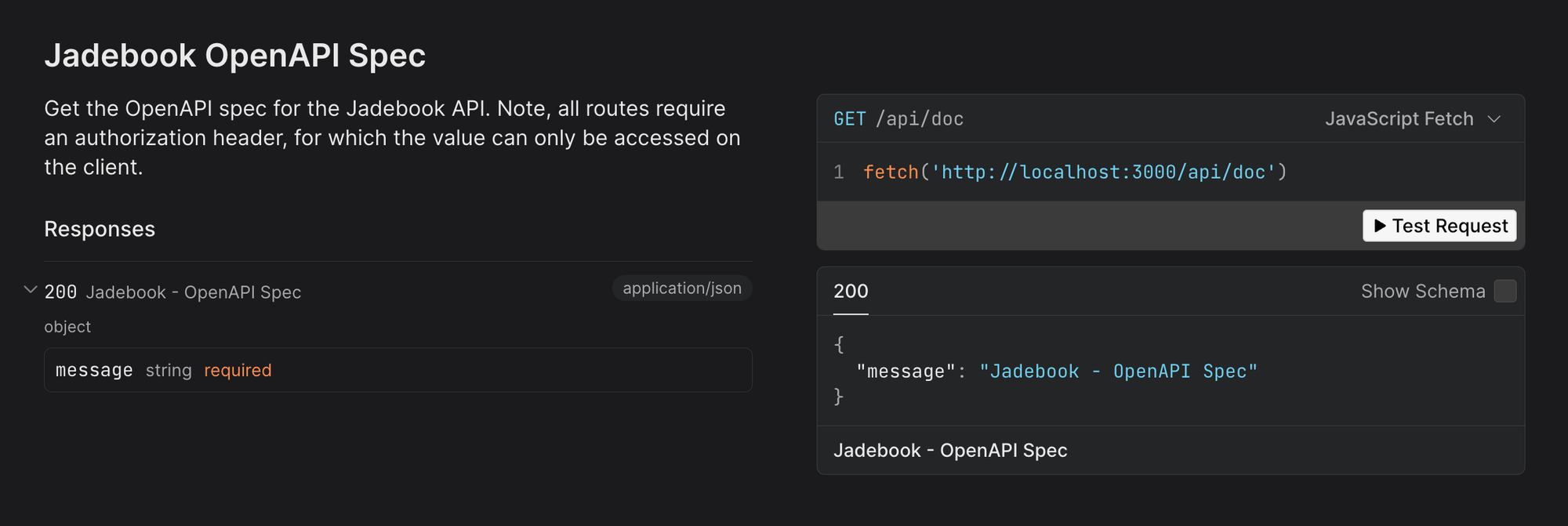
Let's add the first route: Index. This route is usually the first thing people see and it simply point to api/doc.
1// backend/routes/index.route.ts
2
3import { createRoute } from "@hono/zod-openapi";
4import * as HttpStatusCodes from "stoker/http-status-codes"
This is fairly basic, it simply creates a GET route and it'll be shown under a Index folder based on the tags.
Adding a proper API route
Now let's increase the complexity. Let's assume that you have a Profile resource and you need an endpoint for 2 things: GET (fetch) and PUT (update).
We create a folder like backend/routes/profile/ in which we'll have 4 files:
- Handler
- Validation
- Routes
- Index
The Index file will simply export everything in one place making it easier to use:
1// backend/routes/profile/profile.index.ts
2
3import { createRouter } from "@backend/create-app";
4import * as handlers from "./profile.handlers";
The Routes file will setup the path, the typesafe input and output, and some metadata:
1// backend/routes/profile/profile.routes.ts
2
3import { createRoute, z } from "@hono/zod-openapi";
4import * as HttpStatusCodes from
All the profile routes will be under a Profile folder in the sidebar, this is what the const tags = ["Profile"]; does.
Then we serve the endpoint at "/api/profile" using the either the GET method or PUT method, each having their own handler and responses.
You'll notice that we have selectProfileResponse and updateProfileBody — this is because all the input (so query params and the body) as well as the the output (what the handler returns) are type-safe and validated through Zod. Zod also works at runtime, so this isn't just a developer experience thing, this actually adds full validation and error handling to your API.
The Validation file holds the Zod definitions in which you define everything:
1// backend/routes/profile/profile.validation.ts
2
3import { z } from "@hono/zod-openapi";
4
5export const selectProfileResponse = z.object
I talked about this earlier, but the "@hono/zod-openapi" package extends Zod to include a helper for defining OpenAPI metadata.
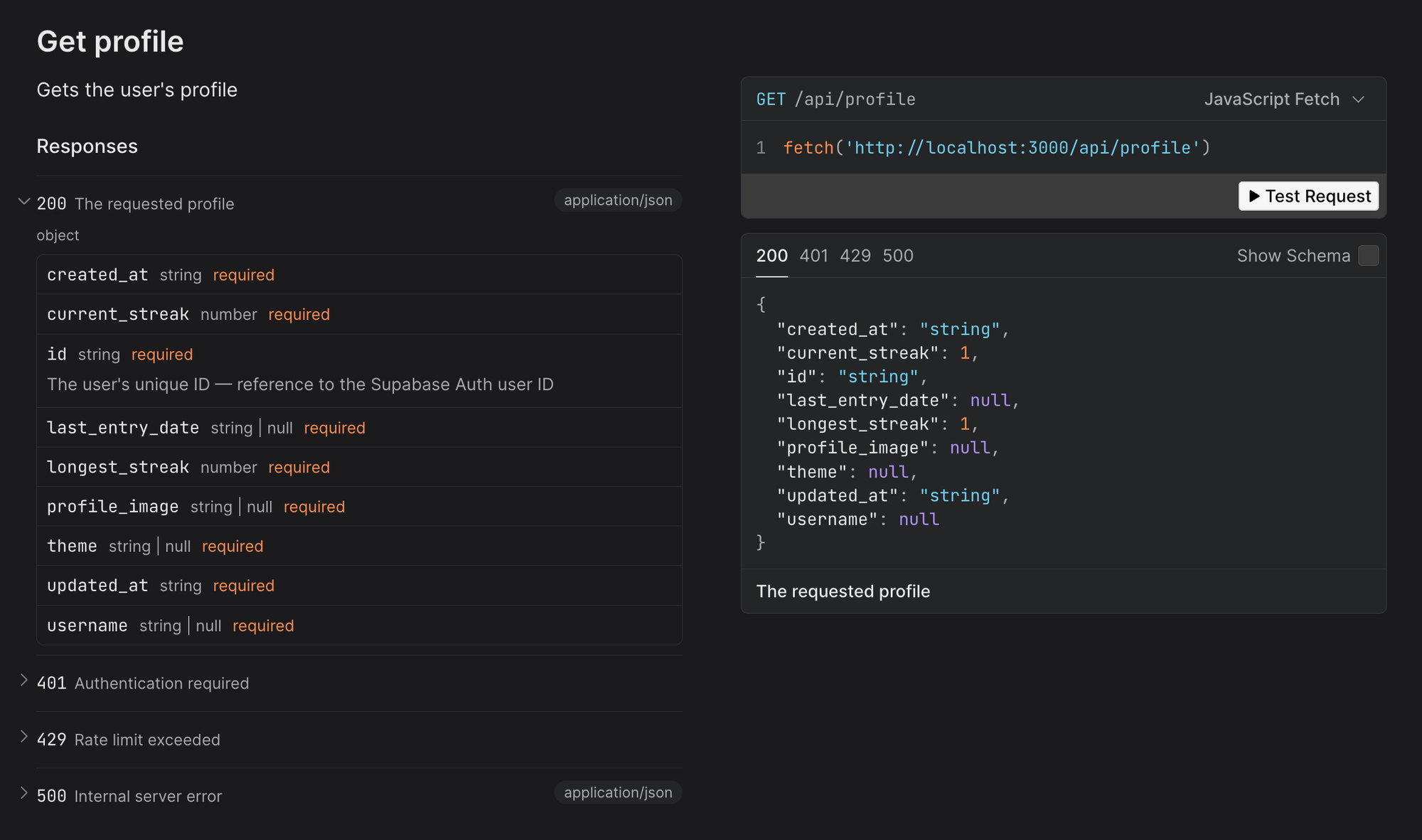
You can see that the id on the 200 response now has a description — In this case, we want the user to know that the id is also a reference to the Supabase Auth Id which might be useful to know.
Lastly, the Handler file holds the actual route logic:
1// backend/routes/profile/profile.handlers.ts
2
3import * as HttpStatusCodes from "stoker/http-status-codes";
4import * as HttpStatusPhrases
The GET route also creates an user if it doesn't already exist. This isn't ideal but the open source project is for personal use and so this was done simply to ship a little faster.
We have some variables coming from c which is essentially context from the middleware and some other Hono stuff.
Since we're adding the GetUserProfileRoute type to the route, if for any reason const profile = await fetchProfile(); does not match our defined response from the validation files, it'll give us an error. In this case, the Supabase client, is also typesafe and synced with the actual DB so we know the return type of the DB fetch.
Middleware
You may not be using Supabase but this might still be helpful. We have an auth middleware file:
1// backend/middlewares/auth.ts
2
3import { createMiddleware } from "hono/factory";
4import { HTTPException } from "hono/http-exception"
This does the following: Every API route that includes this middleware, must have an Authorization header that is the user's JWT or access token, this is then used to sign the user in to the Supabase client. Then we add the user, user id and the authenticated client to the Hono context allowing the API routes to carry out operations.
In this case, the createClient() sets up our DB and also adds type-safety. Supabase has a documation page for this here if you wish to learn more.
The Result
While it seems a little complicated, the result is pretty great.
- Everything is within NextJS
- All API routes are type-safe
- You get utilities to handle CORs (which I didn't go through but you can see example within the Hono documentation)
- An OpenAPI spec
- Interactive Docs for testing
You may also be wondering about the performance cost, and to be honest, it's not much. In fact, if you're using NextJS API routes, there will always be a performance drawback due to NextJS loading more things like helpers, specific to the NextJS framework. However, if you host the Hono separately like the hono-open-api-starter does, you'll get about a 20-30% performance increase.
So, yeah, thanks for reading and hopefully you learned something.